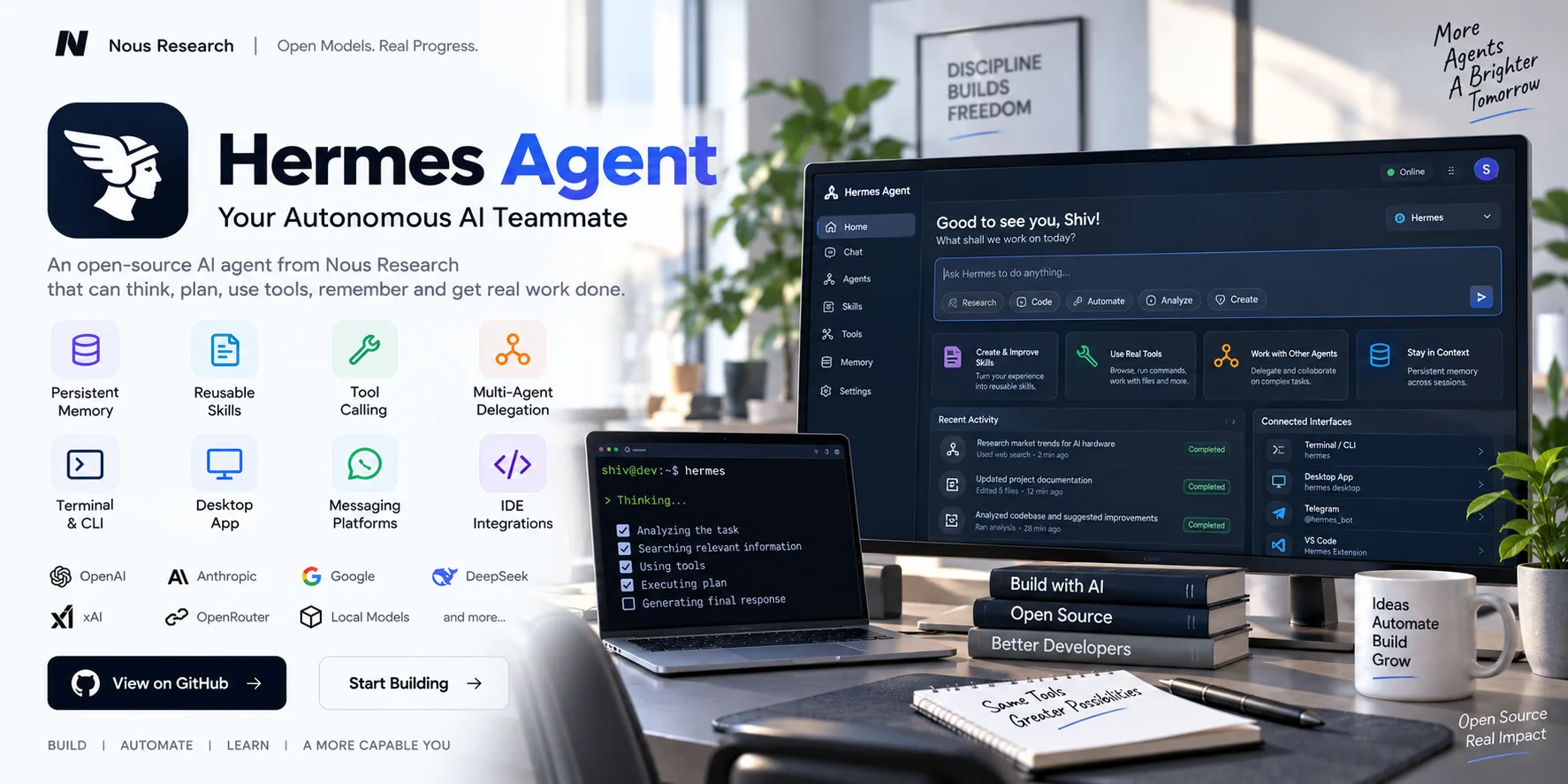
Hermes Agent GitHub Project: Self-Improving Autonomous AI Agent
Join Our WhatsApp Channel for Latest UpdatesWhat Is Hermes Agent?
Hermes Agent is an open-source autonomous AI agent developed by Nous Research.
Unlike a conventional chatbot that mainly responds to individual prompts, Hermes is designed to execute multi-step tasks using tools, retain information across sessions and improve its reusable skills based on previous experience. The project can operate through a terminal, desktop application, messaging platforms and IDE integrations.
Its architecture is designed to remain model-provider agnostic, allowing users to work with different hosted or local model providers rather than being locked to one model ecosystem.
What Makes Hermes Agent Different?
One of the central ideas behind Hermes is its learning loop.
The documentation describes a system where Hermes can:
- Create reusable skills from experience
- Improve those skills during use
- Persist memory across sessions
- Search previous conversations for relevant context
- Maintain information about the user's environment
- Use tools to perform tasks
- Delegate work to other agents
This makes Hermes more like a persistent AI worker than a simple question-answering interface.
Key Features
1. Persistent Memory
Hermes can maintain information across sessions rather than starting completely from scratch every time.
Its documentation describes persistent memory and session history backed by local storage, allowing the agent to retain context and information between runs.
This can be useful for long-running projects where the agent needs to remember previous work.
2. Self-Improving Skills
The Skills System is one of Hermes Agent's major features.
Skills are reusable knowledge and procedures that Hermes can load when required. The project's documentation describes Hermes as being capable of creating and improving skills based on experience.
For example, a developer could create a skill for a recurring workflow and allow Hermes to reuse that procedure in future sessions.
3. Powerful Tool Calling
Hermes isn't limited to generating text.
Its tool system can provide capabilities such as:
- Terminal execution
- File operations
- Web search
- Browser interaction
- Memory
- Agent delegation
- Other configurable tools
The exact available tools depend on the configured environment and provider.
4. Multi-Agent Delegation
Hermes supports spawning and orchestrating additional agents.
This allows a larger task to be divided into multiple pieces instead of requiring one agent session to perform everything sequentially. The project documentation specifically includes multi-agent spawning and orchestration capabilities.
A workflow could therefore look like:
Main Agent → Research Agent → Coding Agent → Review Agent → Final Result
The actual orchestration depends on the configured workflow and tools.
5. Multiple Interfaces
Hermes isn't restricted to a terminal window.
The current project supports several interaction surfaces, including:
- Terminal/CLI
- Terminal UI
- Native desktop application
- Web dashboard
- Messaging platforms
- IDE integrations
The documentation lists integrations involving platforms such as Telegram, Discord, Slack, WhatsApp, Signal and others, while IDE support includes VS Code, Zed and JetBrains through ACP.
This allows the same underlying agent concept to be used from different environments.
AI Model Provider Support
Hermes is designed to work with multiple AI providers.
Current documentation lists support for providers and model ecosystems including:
- OpenRouter
- Anthropic
- OpenAI
- DeepSeek
- xAI
- Local models
- Other compatible endpoints
The project also supports switching providers through its configuration rather than requiring application-level code changes.
For local models, the documentation currently recommends a minimum 64K-token context window for Hermes' multi-step tool-calling workflows.
Coding and Development Workflows
Hermes can be used as a coding and development agent because it can interact with terminals, files and other development tools.
A typical workflow could be:
Understand Task → Inspect Project → Modify Files → Run Commands → Test → Review → Report
The important distinction is that Hermes can combine reasoning with tool execution instead of only generating code snippets for the developer to copy manually.
Messaging-Based AI Agent
Another interesting aspect of Hermes is its gateway architecture.
Instead of requiring users to open a terminal every time, the same agent can be exposed through supported messaging platforms.
This means a developer can potentially interact with an always-running Hermes instance through a messaging interface while the agent performs tasks in its configured environment.
Hermes Agent Architecture
At a simplified level, the workflow can be represented as:
User
↓
Hermes Agent
↓
Model Provider
↓
Reasoning + Tool Selection
↓
Tools / Terminal / Browser / Files / Memory
↓
Result
↓
Persistent Memory / Skills
This architecture allows Hermes to combine an LLM with tools, memory and reusable procedures.
Installation
The project currently provides installers for different platforms.
For Linux, macOS, WSL2 and Android/Termux, the documented command-line installation is:
curl -fsSL https://hermes-agent.nousresearch.com/install.sh | bash
For native Windows, the documentation provides a PowerShell installer:
iex (irm https://hermes-agent.nousresearch.com/install.ps1)
After installation, users can start the setup process with:
hermes setup
The project also provides commands such as:
hermes model
hermes doctor
hermes desktop
hermes dashboard
These are documented as part of the current quick-start workflow.
Configuration
Hermes separates normal configuration from sensitive credentials.
The documentation currently identifies:
~/.hermes/config.yaml
for normal settings and:
~/.hermes/.env
for secrets and API keys.
This separation is useful when configuring different model providers, tools and environments.
Where Can Hermes Agent Be Used?
Hermes can be explored for several types of workflows:
Software Development
- Code generation
- Debugging
- Project analysis
- Terminal-based development
- Testing workflows
Research
- Web research
- Information gathering
- Multi-step investigation
- Research delegation
Automation
- Repetitive computer tasks
- File processing
- Scheduled workflows
- Tool-based operations
Personal AI Assistant
- Persistent memory
- Custom skills
- Messaging-based interaction
- Long-running tasks
AI Agent Development
Developers can also study Hermes' architecture to understand how modern autonomous agents combine:
LLMs + Tools + Memory + Skills + Delegation + Interfaces
Why Developers Should Explore Hermes Agent
Hermes is particularly interesting from an engineering perspective because it brings several AI-agent concepts together in one open-source project.
Instead of treating an LLM as an isolated chatbot, the project explores a broader architecture involving:
- Persistent state
- Tool calling
- Reusable skills
- Agent delegation
- Multiple model providers
- Computer interaction
- Messaging gateways
- Desktop and IDE interfaces
Its documentation also emphasizes that Hermes is actively evolving, so its capabilities and interfaces can change over time.
Project Status
Hermes Agent is actively developed and its documentation and feature set are continuing to evolve. The current repository contains multiple interfaces, gateway functionality, skills, plugins and agent orchestration capabilities.
Because of this, developers should refer to the official repository and documentation for the latest installation commands and supported integrations.
License
The current project documentation identifies Hermes Agent as MIT licensed.
Official Resources
GitHub Repository: https://github.com/NousResearch/hermes-agent
Documentation: https://hermes-agent.nousresearch.com/docs/
Hermes Website: https://hermes-agent.nousresearch.com/