OpenBot GitHub Project: Open-Source AI Coworkers with Their Own Computers
Join Our WhatsApp Channel for Latest UpdatesOpenBot GitHub Project: What Is It?
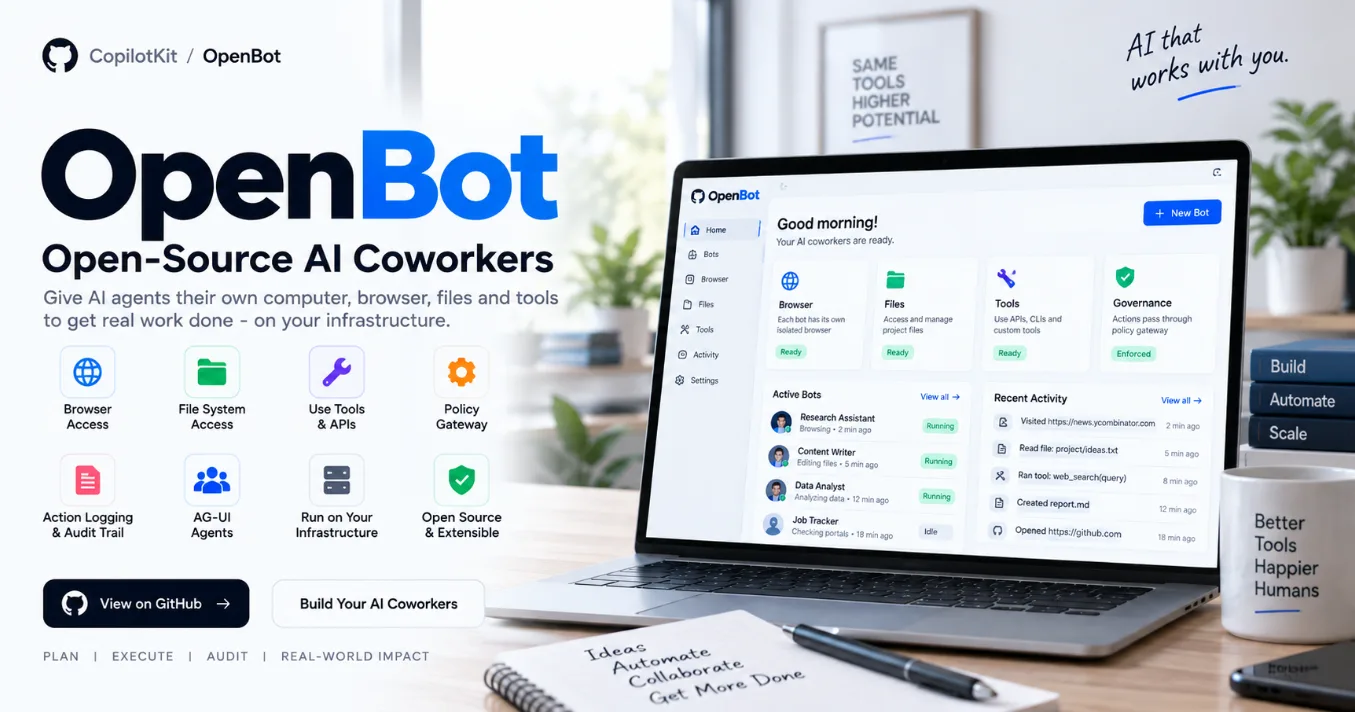
OpenBot is an open-source AI coworker platform from CopilotKit that is designed to give AI agents access to their own computer environment.
Instead of limiting an AI agent to a chat interface, OpenBot can provide a dedicated browser, workspace files, tools and other capabilities. Actions are routed through a governance layer before they are executed and are recorded afterward.
The project is designed to be self-hosted and customizable rather than being a traditional hosted SaaS product. The repository describes OpenBot as a template that developers can clone, modify and adapt for their own AI coworkers, channels and skills. It is currently described as alpha and under active development.
What Makes OpenBot Interesting?
A conventional AI assistant mainly generates text or code. OpenBot focuses on giving an AI agent an environment where it can actually perform tasks.
Each Bot can have:
- Its own browser
- Its own browser profile and logins
- Its own workspace
- File access
- Shell/command execution
- MCP tools
- Custom skills
- Configurable policies
- Activity and audit records
OpenBot uses a gateway between the AI agent and these capabilities. The gateway evaluates an action against configured policies, records the decision, and then either allows or refuses the action.
Key Features
1. AI Coworkers
OpenBot introduces the concept of persistent AI coworkers.
A coworker has a durable profile and standing role, meaning its role can be defined once rather than repeated in every conversation. Developers can create, edit, duplicate, hide and delete coworkers through the interface.
The example configuration includes coworkers such as:
- General Assistant
- Knowledge
- Risk Analyst
These are configuration-based agents that can be replaced or extended for different use cases.
2. Dedicated Computer for Each Bot
One of OpenBot's notable features is the concept of giving each Bot its own computer environment.
A Bot can have its own:
- Chromium browser
- Browser profile
- Login sessions
/workspace- Files
- Computer container
This allows different AI coworkers to operate in isolated environments rather than sharing exactly the same browser and workspace.
3. Browser Automation
Bots can interact with websites through their browser environment.
For example, the project documentation demonstrates asking a Bot to open a website and retrieve information. Browser actions are passed through OpenBot's governance gateway before execution.
4. File and Shell Access
OpenBot goes beyond browser automation.
Bots can work with files in their workspace and can also execute commands through a shell. Command execution is governed through the same action-control mechanism and is recorded in the audit trail.
This makes it possible to build coworkers that can perform tasks such as processing files, running development commands or working with project data.
5. Governance and Policies
OpenBot provides a policy layer for controlling what an AI agent is allowed to do.
Policies can inspect information such as:
- Tool name
- Bot identity
- Actor identity
- Page URL and host
- Browser element information
- Commands
- File information
- MCP information
- Action initiator
The project uses CEL-based policies and follows a fail-closed approach for policy failures.
6. Activity and Audit Trail
OpenBot records actions performed by Bots.
The administration interface includes an audit section where permitted, refused and failed actions can be reviewed. The activity interface can also show commands, file operations and other activity while a Bot is working.
This is particularly relevant for applications where developers need visibility into what an AI agent actually did.
7. AG-UI Support
OpenBot is built around AG-UI, an open protocol for agent-to-user interaction.
According to the project documentation, agents built using frameworks such as LangGraph, Mastra, CrewAI, Pydantic AI and Google ADK can be connected through AG-UI, allowing OpenBot's environment and governance layer to work independently of the underlying agent framework.
How OpenBot Works
A simplified workflow looks like this:
User → AI Coworker → AG-UI → OpenBot Gateway → Policy Check → Audit Record → Computer / File / Tool
When an agent wants to perform an action, OpenBot resolves the target, evaluates the action against its policies, records the decision and then allows or refuses the operation.
This architecture separates the agent's reasoning from the environment in which the agent is allowed to act.
OpenBot Interface
The project includes multiple interfaces for managing AI coworkers and their environments.
Some of the main routes include:
/agents— manage coworkers/channel/:id— communicate with a coworker and watch its activity/bot— direct Bot chat/skills— manage skills/routines— manage scheduled routines/admin/credentials— manage encrypted credentials/admin/computers— manage Bot computers/admin/boundaries— configure action policies/admin/plugins— configure MCP servers/admin/audit— review actions
These interfaces make OpenBot more than just an agent SDK; it provides a complete starting environment for building and managing AI coworkers.
Technology Behind OpenBot
The project combines several technologies and services, including:
- TypeScript/JavaScript
- React-based web application
- Bun
- Docker
- PostgreSQL
- Chromium
- Playwright
- AG-UI
- CopilotKit Intelligence
- MCP
- AI model APIs
The repository uses Docker to manage the infrastructure required for the application and Bot environments.
Running OpenBot Locally
The repository provides a Docker-based setup.
The documented local setup requires Docker, Bun 1.3+, a CopilotKit Intelligence project and an AI model key. The quick-start process includes creating .env, selecting a CopilotKit Intelligence project, configuring the required model credentials and running the startup script.
Basic source setup begins with:
git clone https://github.com/CopilotKit/OpenBot.git
cd OpenBot
cp .env.example .env
bun install
bash scripts/start.sh
After startup, the local application is available at:
http://localhost:3010
The exact environment variables and setup requirements should be checked against the repository's current documentation before deployment because OpenBot is actively changing.
Deployment
OpenBot also publishes a container image that can run the application without cloning and building the repository.
The project documents a deployment image at:
ghcr.io/copilotkit/openbot:latest
It can run with an existing PostgreSQL database or with embedded PostgreSQL for certain deployments.
For production deployments, the project's deployment documentation recommends considering persistent storage and using pinned image digests rather than relying on a moving latest tag.
Who Can Use OpenBot?
OpenBot can be particularly useful for:
- AI agent developers
- Full-stack developers
- AI automation developers
- Researchers experimenting with computer-use agents
- Developers building internal AI assistants
- Teams experimenting with AI coworkers
- Developers working with AG-UI
- Developers exploring MCP-based automation
For students, the repository is also a useful project to study if you want to understand how AI agents, browser automation, tool access, containers, policies and audit systems can work together.
Why Developers Should Explore This Project
OpenBot demonstrates an important direction in AI application development: moving from AI that only generates responses toward AI systems that can operate within controlled computer environments.
The interesting engineering challenge is not simply giving an agent access to tools. OpenBot's architecture focuses on putting a governance layer between the agent and those tools, while maintaining an audit trail of actions.
Because the project is open source and intended to be customized, developers can study its architecture and adapt the foundation for their own AI coworker experiments.
Project Status
OpenBot is currently described by its maintainers as alpha and under active development. The repository explicitly notes that users should expect rough edges and changes as development continues.
It is therefore better viewed as an open-source project and customizable template rather than a finished commercial product.
License
OpenBot is released under the MIT License.
Official Resources
GitHub Repository: https://github.com/CopilotKit/OpenBot
Documentation: https://github.com/CopilotKit/OpenBot/tree/main/docs
OpenBot Website: https://www.copilotkit.ai/openbot