Recordly GitHub Project: Open-Source Screen Recorder & Video Editor
Join Our WhatsApp Channel for Latest UpdatesRecordly GitHub Project: Open-Source Screen Recorder & Video Editor
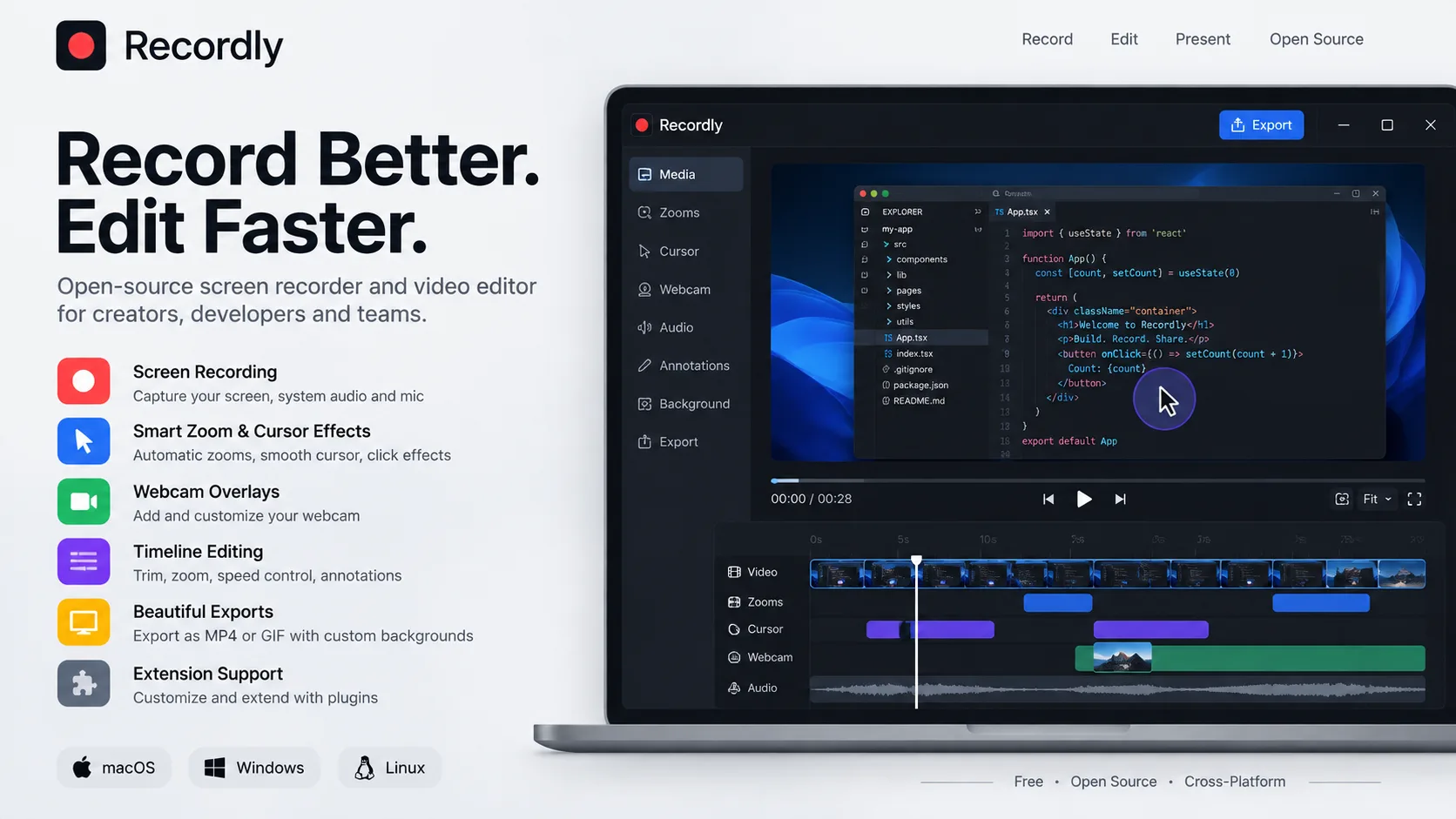
Recordly is an open-source desktop screen recorder and editor designed for creating polished walkthroughs, product demos, tutorials, and social videos. Instead of recording a raw screen and editing everything manually, Recordly combines screen capture, zooms, cursor effects, webcam overlays, timeline editing, styling, and export in one workflow.
What Is Recordly?
Recordly is built as a free, open-source alternative to tools such as Screen Studio. It automatically enhances screen recordings with motion-driven effects, helping developers, creators, educators, and product teams produce professional-looking videos without requiring a separate video editor.
The project supports macOS, Windows, and Linux.
Key Features
Smart Zoom & Motion
Recordly can automatically suggest zoom regions based on cursor activity while also allowing users to create manual zooms.
It includes:
- Automatic zoom suggestions
- Manual zoom regions
- Smooth cursor movement
- Speed-up and slow-down sections
- Motion effects
- Timeline-based editing
Advanced Cursor Controls
The application provides several controls for making cursor movement look more polished:
- Cursor size adjustment
- Cursor smoothing
- Motion blur
- Click bounce
- Cursor sway
- Cursor loop mode
- macOS-style cursor assets
Webcam Overlays
Recordly can add webcam footage as an overlay on screen recordings.
Users can control its:
- Position
- Size
- Roundness
- Shadow
- Mirroring
- Margins
- Zoom-reactive scaling
This makes it useful for tutorials, coding demonstrations, product walkthroughs, and educational videos.
Timeline Video Editing
Recordly includes a timeline designed specifically for screen-recording workflows.
Users can:
- Trim unwanted sections
- Add zoom regions
- Change playback speed
- Add annotations
- Add additional audio
- Crop the recording
- Save and reopen projects
Projects can be stored as .recordly files so editing work can be continued later.
Frame Styling & Backgrounds
Recordly can turn a simple screen recording into a styled presentation.
It supports:
- Wallpapers
- Custom backgrounds
- Solid colors
- Gradients
- Padding
- Rounded corners
- Background blur
- Drop shadows
Aspect-ratio presets
Export
Finished projects can be exported as:
- MP4
- GIF
Users can also control export quality, GIF frame rate, looping, dimensions, and aspect ratio.
Extension System
One particularly interesting feature for developers is Recordly's community extension system.
Extensions can add capabilities such as:
- Cursor click sounds
- Device frames
- Browser mockups
- Wallpapers
- Render hooks
- Additional settings panels
Developers can build extensions using JavaScript or TypeScript and publish them through the Recordly ecosystem.
How Recordly Works
Recordly combines a platform-specific capture layer with a renderer-driven editing and export pipeline.
Capture → Edit → Motion → Render → Export
Electron coordinates the application, while macOS uses ScreenCaptureKit and Windows uses Windows Graphics Capture where supported. The visual composition and rendering pipeline uses PixiJS.
Technology Stack
| Technology | Purpose |
|---|---|
| TypeScript | Core development |
| React | User interface |
| Electron | Desktop application |
| Vite | Build tooling |
| Tailwind CSS | Styling |
| PixiJS | Scene composition/rendering |
| FFmpeg | Video processing |
| Vitest | Testing |
| Motion | UI/motion effects |
The repository's current package configuration includes React, TypeScript, Electron, Vite, Tailwind CSS, PixiJS, FFmpeg-related packages and other supporting libraries.
What Developers Can Learn
Recordly is a strong project for developers interested in:
- Electron desktop applications
- React + TypeScript
- Screen capture APIs
- Video processing
- Timeline editors
- Canvas/WebGL rendering
- Animation systems
- Media export pipelines
- Cross-platform development
- Plugin/extension architecture
It is especially valuable as a reference for understanding how a relatively complex desktop application can combine native platform APIs with a modern TypeScript frontend.
How to Run Recordly
The project provides prebuilt releases as well as instructions for building from source. A basic development setup is:
git clone https://github.com/webadderallorg/Recordly.git recordly
cd recordly
npm install
npm run dev
Packaged builds can also be created using platform-specific build commands.
Open-Source License
The current upstream repository is licensed under the AGPL-3.0. Anyone planning to modify, redistribute, or use Recordly in a commercial product should review the repository's current license terms carefully.
Why Recordly Is Worth Exploring
Recordly is interesting because it goes beyond basic screen recording. It combines recording, automatic zooming, cursor animation, webcam overlays, timeline editing, visual styling, extensions, and video export into a single open-source desktop application.
For developers, it is a valuable real-world project to study. For creators and educators, it provides a way to produce polished screen-based content without relying entirely on expensive proprietary software.
Official Resources
GitHub Repository: https://github.com/webadderallorg/Recordly
Website: https://www.recordly.dev
Final Thoughts
Recordly shows how an open-source project can turn ordinary screen recordings into polished, presentation-ready videos.
Its combination of Electron, React, TypeScript, native capture APIs, PixiJS rendering, timeline editing, and an extension ecosystem makes it an especially useful GitHub project for developers learning modern desktop and media application development.