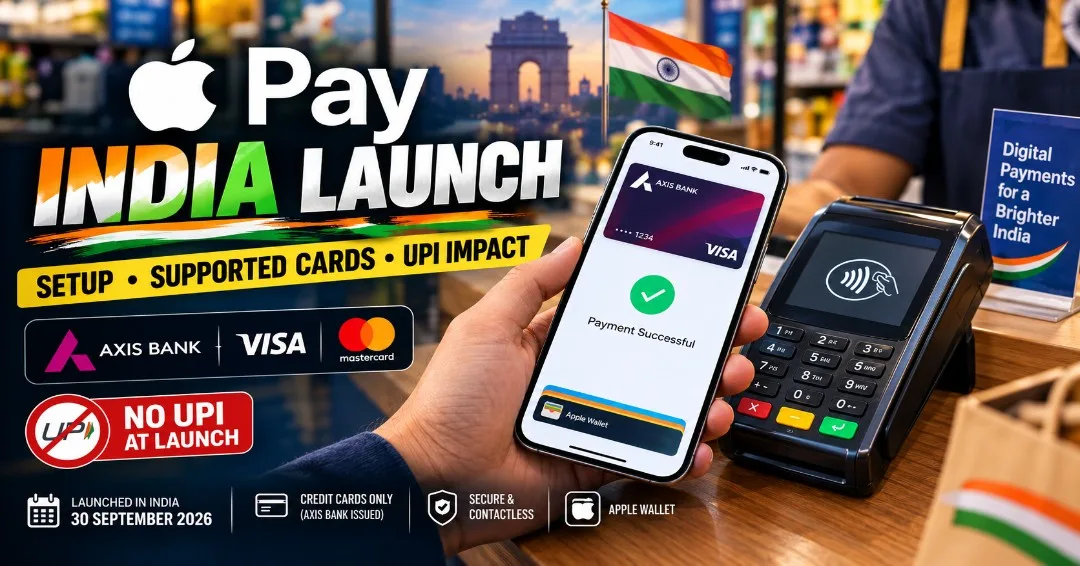
Apple Pay Launches in India: Setup Guide, Supported Cards & UPI Impact
Join Our WhatsApp Channel for Latest UpdatesApple Pay Officially Launches in India: The Complete Setup Guide, Card Compatibility, and the UPI Battle
After years of regulatory clearance discussions and technical alignment with the Reserve Bank of India (RBI), Apple Pay has officially made its debut in the Indian consumer market. Starting today, iPhone, Apple Watch, and iPad users can digitize their payment cards to execute encrypted, contactless payments across retail stores, apps, and e-commerce websites.
The entry of the tech giant’s flagship payment service marks an inflection point for India’s digital payments landscape, which has long been dominated by the Unified Payments Interface (UPI). Below is a comprehensive breakdown of how Apple Pay operates in India, its initial banking partnerships, tokenization security features, and how to set it up on your device.
Latest Verified Information: The Launch Parameters
The initial rollout of Apple Pay in India is structured under the RBI’s card tokenization framework:
- Initial Bank Support: At launch, Apple Pay exclusively supports credit cards issued by Axis Bank across Visa and Mastercard networks.
- Upcoming Expansions: Additional major private and public banks (including HDFC Bank, ICICI Bank, and SBI) alongside domestic RuPay card integration are scheduled for phased rollouts over the coming months.
- Device Compatibility: Works natively across iPhone (with Face ID / Touch ID) and Apple Watch, with Safari Mac support arriving in an upcoming software patch.
- Merchant Acceptance: Any retail store equipped with an NFC-enabled point-of-sale (POS) tap-and-pay machine accepts Apple Pay immediately without requiring custom merchant integration.
       +-------------------------------------------------------+
       |               Apple Pay Transaction Flow              |
       +-------------------------------------------------------+
                                   |
                     [Device Account Number (Token)]
                                   |
         +-------------------------+-------------------------+
         |                                                   |
+------------------+                               +-------------------+
|  Face ID / Auth  |                               | Terminal Tap / POS|
|  (Secure Enclave)|                               | (NFC Contactless) |
+------------------+                               +-------------------+
                                   |
                      [Encrypted Token Routed]
                                   |
                      [Axis Bank / Card Network]
                                   |
                            [Payment Approved]
How to Set Up Apple Pay on Your iPhone
Setting up Apple Pay takes under two minutes. Follow these verified steps:
- Open the pre-installed Wallet app on your iPhone.
- Tap the "+" (Add Card) icon in the top right corner.
- Select Debit or Credit Card and press Continue.
- Position your physical Axis Bank Visa or Mastercard within the camera frame, or enter the card details manually.
- Complete the one-time authentication via the One-Time Password (OTP) sent to your registered mobile number by Axis Bank.
- Once verified, your card is tokenized in your device's Secure Enclave and ready for instant tap-and-pay transactions.
Security Note: Apple Pay never stores your actual 16-digit card number on your device or Apple servers. Instead, a unique Device Account Number is assigned, encrypted, and securely stored in the industry-certified Secure Enclave chip.
Apple Pay vs. UPI: Can Apple Challenge the King?
While tech enthusiasts are celebrating the launch, financial analysts observe that Apple Pay enters an Indian market shaped by UPI's dominance:
- The Frictionless Factor: UPI requires opening an app (PhonePe, Google Pay, Paytm), scanning a QR code, and entering a 4-to-6 digit PIN. Apple Pay streamlines physical store payments down to a single step: double-click the iPhone side button, authenticate with Face ID, and tap the POS machine—no PIN or QR scanning required for transactions under ₹5,000.
- The Scale Difference: UPI is universal, free for peer-to-peer transfers, and supported on every smartphone regardless of operating system. Apple Pay is limited to Apple devices and requires merchants to maintain an NFC-enabled POS terminal, meaning it will primarily dominate urban retail, airports, high-end dining, and transit networks.
Expert Analysis: The Economic Ripple Effect
The launch of Apple Pay reinforces India's importance in Apple’s global services and hardware roadmap. By activating Apple Wallet features, Apple increases ecosystem stickiness for high-income Indian consumers. Furthermore, it creates opportunities for fintech developers, card network strategists, and cybersecurity analysts specialized in tokenization, cryptographic authentication, and contactless payment infrastructures.
FAQs
Q: Do I need internet access on my iPhone to make an Apple Pay store payment?
A: No. Apple Pay utilizes Near Field Communication (NFC) and the internal Secure Enclave token to communicate directly with the terminal. You do not need active cellular data or Wi-Fi to tap and pay in stores.
Q: Are there additional transaction fees for using Apple Pay?
A: No. Apple does not charge consumers any additional fees for transactions made via Apple Pay.
Q: Can I link my RuPay card to Apple Pay today?
A: Not at initial launch. The service is currently limited to Axis Bank Visa and Mastercard credit cards, with RuPay and debit card support arriving in future updates.
Conclusion
The arrival of Apple Pay in India provides iPhone users with a secure and fast payment option for retail transactions. While it will not replace UPI for everyday small-ticket street commerce, it offers an efficient solution for contactless credit card spending. Keep following CareerFlora for continuous updates on fintech careers, consumer tech reviews, and digital economy trends.